How to Turn a Picture Into a PDF on iPhone: The Complete Guide 2026
Turn pictures into PDFs, scan multi-page documents and sign digitally — free with SignaScan. No subscription, no tracking. Pro upgrade just $4.99 one-time.


How to Turn a Picture Into a PDF on iPhone: The Complete Guide 2026
You snapped a photo of a receipt, a signed contract, or a whiteboard full of meeting notes — and now you need it as a PDF. Or someone emailed you a document to sign and you don't want to print it, scribble on it, scan it, and email it back like it's 2005.
Good news: your iPhone can handle all of this. The bad news? Most scanner apps want $5–20 per month for features that should cost a few bucks once.
That's why we built SignaScan — a free iOS document scanner with edge detection, filters, OCR, and digital signatures. Pro costs $4.99 once. No subscription. No ads. No tracking. Ever.
Download SignaScan free on the App Store →
How to Turn a Picture Into a PDF on iPhone
Whether you need to make a PDF on iPhone from a photo you just took or one sitting in your camera roll, here's the fastest way:
Step-by-step with SignaScan
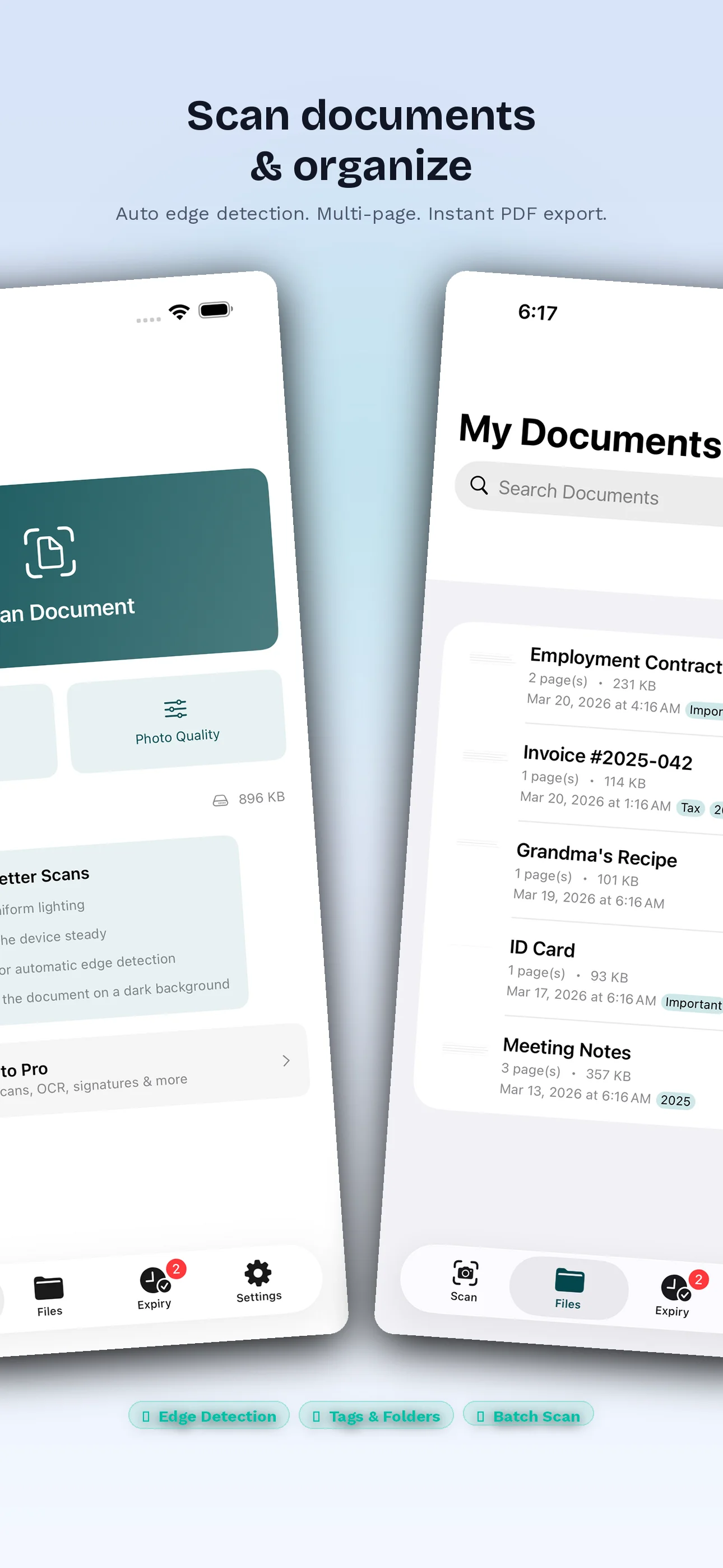
- Open SignaScan and tap the scan button
- Point your camera at the document — automatic edge detection finds the borders instantly
- Adjust if needed — drag the corner handles for a perfect crop
- Apply a filter — choose grayscale, black & white, or keep the original color
- Tap Export — save as PDF to Files, share via AirDrop, email, or any app
That's it. Five taps, and your picture is a clean, professional PDF.
Works with existing photos too: Don't want to re-scan something? Import any photo from your camera roll and convert it to PDF instantly.
Tip: The black & white filter works brilliantly for text documents — it removes shadows, evens out the background, and makes text razor-sharp. Perfect for contracts, receipts, and printed forms.
How to Scan Multiple Pages Into One PDF
This is the question everyone eventually runs into: you have a 5-page contract, a stack of receipts, or a 20-page study guide — and you need it as one PDF file, not twenty separate images.
The multi-page workflow
- Scan your first page — SignaScan auto-detects the edges
- Tap "Add Page" to continue scanning
- Scan pages 2, 3, 4... — as many as you need
- Reorder or delete individual pages if needed
- Export as a single PDF — one file, all pages, in order
When you'll need this
- Contracts and agreements — most are 3-10 pages
- Medical records — insurance forms, lab results, prescriptions
- Receipts for expense reports — scan a week's worth into one PDF
- Study notes — compile handwritten notes into a searchable document
- Immigration paperwork — passport, visa, supporting documents in one file
Multi-page PDF is a Pro feature — and here's where SignaScan saves you serious money. Other scanner apps charge $5–20/month for this. SignaScan Pro is $4.99 once. Forever.
Get SignaScan Pro for $4.99 — one-time, forever →
How to Sign a PDF on iPhone
Need to sign a lease, a freelance contract, or a permission slip? You don't need to print anything. You don't need a monthly e-signature subscription. You can sign documents on your iPhone in seconds.
Sign any document in 4 steps
- Scan the document (or import an existing PDF/photo)
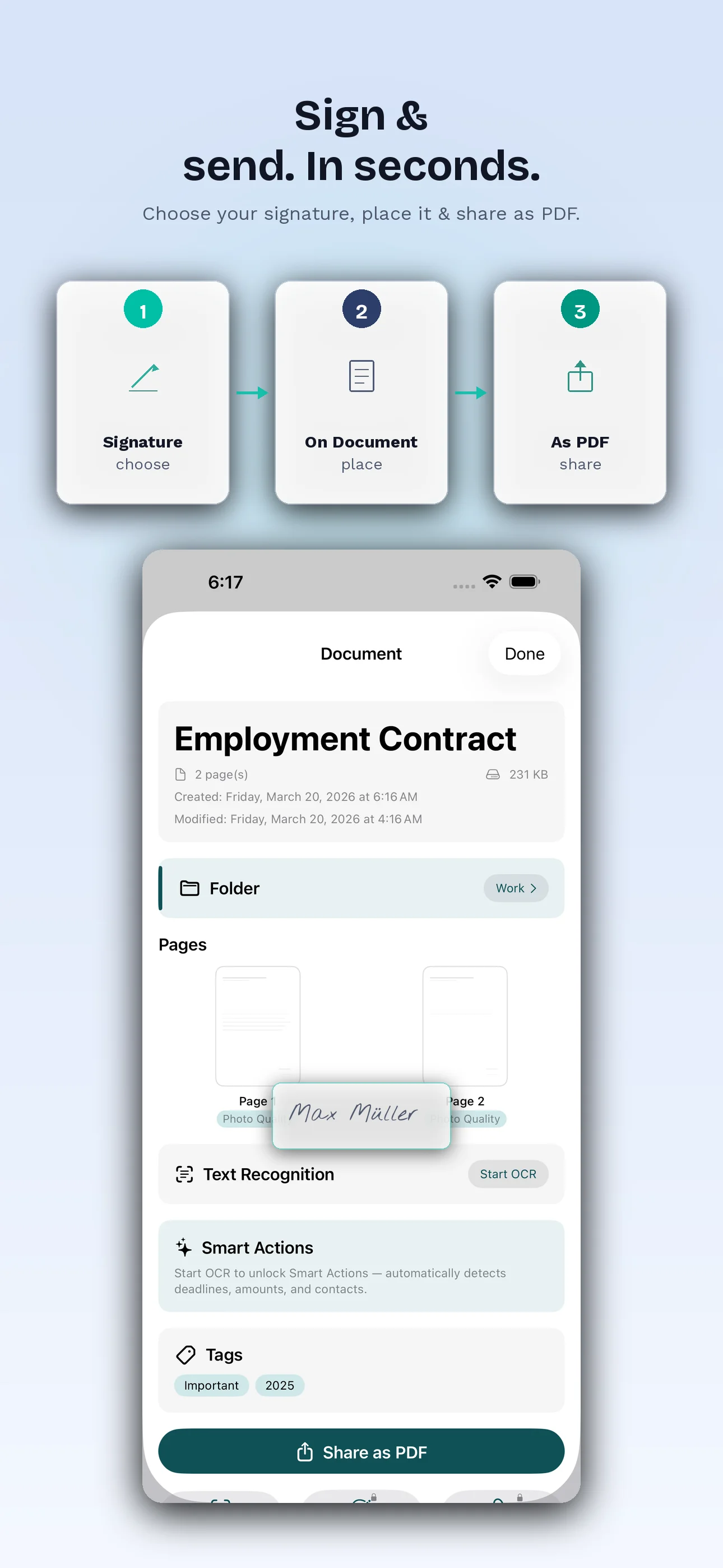
- Tap the signature tool
- Draw your signature with your finger — it captures your natural handwriting
- Position and resize the signature exactly where it needs to go
- Export and send — the signature is embedded in the PDF
Your signature is saved locally for reuse — sign the next document in two taps.
When you don't need an e-signature subscription
Let's be honest: dedicated e-signature platforms are enterprise tools built for companies sending hundreds of contracts. If you're a freelancer signing a project agreement, a tenant signing a lease, or a parent signing a school form — you don't need a monthly subscription for that.
SignaScan's digital signature handles the real-world use cases:
- Freelance contracts and NDAs
- Rental and lease agreements
- School permission slips and forms
- Insurance claim forms
- Bank and loan applications
- Internal company documents
Pro tip: For legally binding signatures in most jurisdictions, a digital signature (your handwriting captured on screen) is sufficient for personal and standard business documents. You only need certified e-signatures (like DocuSign) for specific regulated transactions.
How to Edit a PDF on iPhone
"Editing a PDF" means different things to different people. If you need to rewrite paragraphs in a PDF, you need a dedicated PDF editor. But for most real-world needs, SignaScan covers you:
What you can do with SignaScan
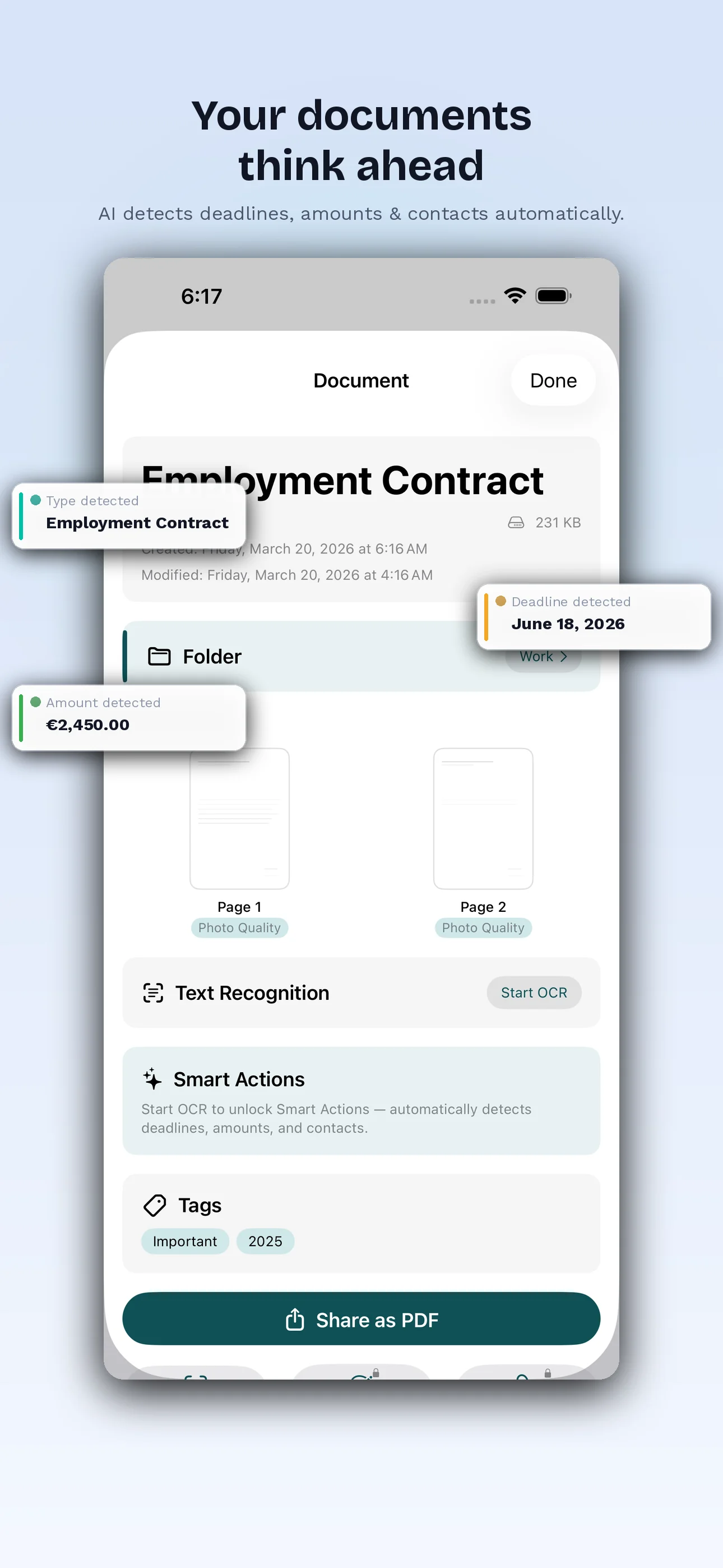
- Extract text with OCR — scan any printed document and copy the text. Paste it into Notes, email, or any app. No more retyping.
- Add your signature — the most common "edit" people need
- Re-scan pages — replace a bad scan without redoing the entire document
- Apply filters — improve readability of faded or poorly lit documents
- Manage documents — organize, rename, and track your scanned files
OCR: Turn any scan into copyable, searchable text
OCR (Optical Character Recognition) is the feature that turns SignaScan from a simple camera-to-PDF tool into a genuine productivity tool:
- Scan a business card → copy the phone number and email directly
- Scan a receipt → paste the amount into your expense tracker
- Scan printed notes → turn them into editable digital text
- Scan a contract → search for specific clauses without reading 15 pages
SignaScan uses Apple's built-in Vision framework for OCR — it runs entirely on your device, so your document text never touches a server.
Scanner Apps and the Subscription Problem
Let's talk money. Most popular scanner apps follow the same model: a free tier with limits, and the genuinely useful features — multi-page PDFs, OCR, signatures — locked behind a monthly subscription. Typical pricing runs somewhere between $3 and $10 per month, which adds up to roughly $100–360 over three years for tools a document scanner doesn't need a server to provide.
SignaScan takes the opposite approach. Everything — multi-page PDFs, OCR, digital signatures — is included in a one-time $4.99 Pro upgrade. No subscription, no recurring cost, no ads, no account.
Why do subscription apps charge monthly? Recurring revenue is simply more profitable — not because a document scanner needs a server running 24/7. Your documents don't need the cloud. They just need your iPhone.
The Privacy Problem With Scanner Apps
Here's something most people don't think about: your scanner app sees your most sensitive documents. Passports, contracts, medical records, financial statements, IDs. Any scanner app that uploads to the cloud, requires an account, or processes documents on a server is handling that data somewhere you can't see.
Many scanner apps rely on server-side processing and cloud storage by default. For some users that's perfectly fine. But for anyone scanning medical records, legal documents, or financial statements, it's worth knowing where those files actually go — and asking why a document scanner needs server-side infrastructure at all.
SignaScan: Nothing leaves your device
SignaScan was built on a simple principle: a document scanner doesn't need the internet.
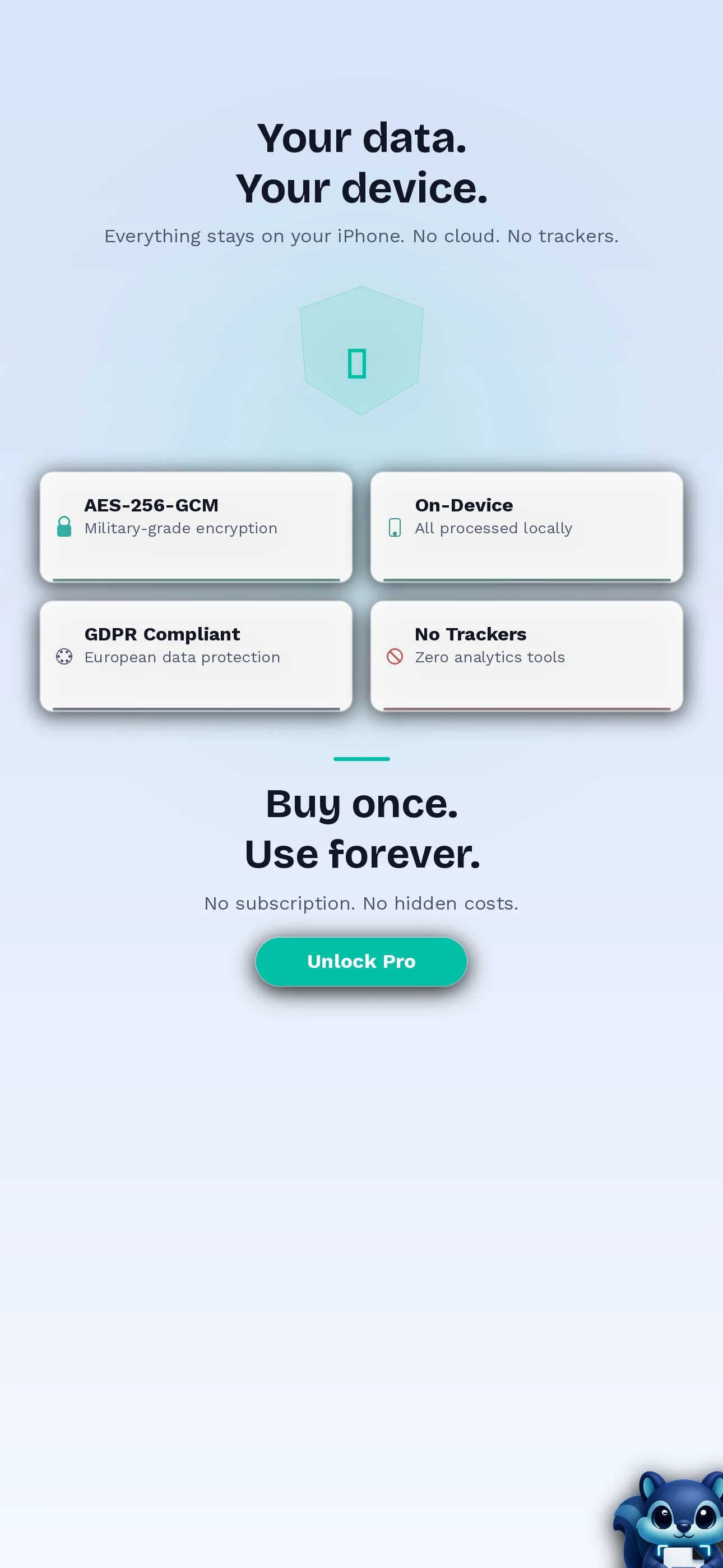
- All processing happens on your iPhone
- No servers, no cloud uploads, no accounts
- No analytics, no tracking pixels, no ad SDKs
- No crash reporting that could capture document content
- Optional iCloud sync stays within your personal Apple account
Your scanned documents are yours. Period.
Download SignaScan — your documents stay yours →
Choosing a Document Scanner App in 2026
If you're comparing your options, it helps to sort scanner apps into three groups:
Built-in iOS scanning
iOS has a basic document scanner built into the Notes and Files apps. It's free and fine for the occasional one-off scan, but there's no OCR export, no signatures, and limited organization — scans tend to stay trapped wherever you made them.
Subscription-based scanner apps
Most full-featured scanner apps put multi-page PDFs, OCR, and signatures behind a monthly subscription, typically $3–10/month. They're capable tools, but the cost recurs for as long as you use them, and many process or store your documents on their own servers.
SignaScan: full features, one-time price, fully offline
SignaScan covers the same core jobs — multi-page PDFs, OCR, digital signatures, iCloud sync — for a one-time $4.99 Pro upgrade. The free version already handles scanning with auto edge detection, filters, and single-page PDF export. No ads, no account, no tracking, and everything runs on your device.
A Subscription-Free Way to Sign Documents
If you landed here searching for a free DocuSign alternative — you're not alone. It's one of the most searched terms in this space.
Here's the thing: dedicated e-signature platforms are built for enterprises sending thousands of contracts with audit trails, templates, and compliance workflows. Most people don't need any of that.
What you probably need:
- Sign a PDF and send it back
- Sign a lease or contract
- Sign a form for school, insurance, or your bank
SignaScan does exactly this for a one-time $4.99 — instead of a monthly subscription for something you'll use a handful of times a year.
For individual document signing, a one-time purchase is hard to beat.
FAQ
Can I turn a picture into a PDF on iPhone for free?
Yes. SignaScan's free version lets you scan documents with automatic edge detection, apply image filters, and export single pages as PDF — completely free, no account required.
How do I scan multiple pages into one PDF on iPhone?
Open SignaScan, scan your first page, tap "Add Page" to scan additional pages, then export the batch as a single PDF. This requires SignaScan Pro ($4.99 one-time).
Is there a free document scanner app without ads?
Yes — SignaScan has zero ads in both the free and Pro versions. No banner ads, no interstitials, no "watch an ad to unlock" mechanics. Ever.
How do I sign a PDF on my iPhone without printing it?
Open or scan the document in SignaScan, tap the signature tool, draw your signature, position it on the document, and export. No printing, no physical scanner needed.
Are cloud-based scanner apps a privacy risk?
It depends on the app. Any scanner that uploads to a server or requires an account is processing your documents somewhere off your device. If privacy matters to you, an offline-first app like SignaScan keeps everything on your iPhone — nothing is uploaded.
What's the best scanner app without a subscription?
SignaScan offers the most complete feature set without a subscription: scanning, multi-page PDFs, OCR, and digital signatures for a one-time $4.99 Pro upgrade. No recurring costs.
Can I use OCR on iPhone to copy text from a photo?
Yes. SignaScan Pro includes OCR powered by Apple's Vision framework. Scan any printed document and copy the recognized text — it runs entirely on your device, so no data is uploaded anywhere.
How much does SignaScan cost?
The free version includes scanning with edge detection, image filters, and single-page PDF export. SignaScan Pro costs $4.99 one-time and adds multi-page PDFs, OCR, digital signatures, and iCloud sync. No subscription, no hidden fees.
Get SignaScan
Stop paying monthly for something that should cost $4.99 once. SignaScan gives you everything you need to scan, sign, and organize documents on your iPhone — without subscriptions, without ads, and without your data leaving your device.
Download SignaScan free on the App Store →
Built by Balane Tech — a software studio in Munich. We build apps we'd want to use ourselves.