Odoo CRM Outreach: Email Sequences, Follow-ups & Campaign Tracking – Now in the App Store
Outreach campaigns, email sequences, and follow-ups directly in Odoo CRM. Native cold email workflows without external tools – now available in the Odoo App Store.
Odoo CRM Outreach: Email Sequences, Follow-ups & Campaign Tracking
Odoo CRM excels at pipeline management. For systematic outbound sales, however, key functions were missing. Our CRM Outreach Campaigns module closes exactly this gap – native outreach functionality, directly in the CRM.
Now available in the Odoo App Store:
- CRM Outreach Campaigns ($499 one-time)
- CRM Direct Email (Free) – Free companion module
Built on Odoo 18 – versions for Odoo 17 and 19 coming soon.
The Problem: Outreach Is Missing in Odoo CRM
Odoo CRM was designed for inbound processes. For B2B outbound sales, this means concrete limitations:
- No email sequences: Automated sequences with wait times are not possible
- No campaigns per lead: A lead cannot be assigned to different outreach campaigns
- No follow-up automation: "If no response after X days" requires manual tracking
- No status model for outreach: Pipeline stages are not meant for campaign-related status
- Follower problem: The email composer doesn't auto-fill the recipient
The result: Sales teams resort to external tools – with all the disadvantages of data synchronization, API limits, and additional costs.
For a detailed analysis, read our Guide to Cold Email & Outreach in Odoo CRM.
The Solution: Outreach Directly in CRM
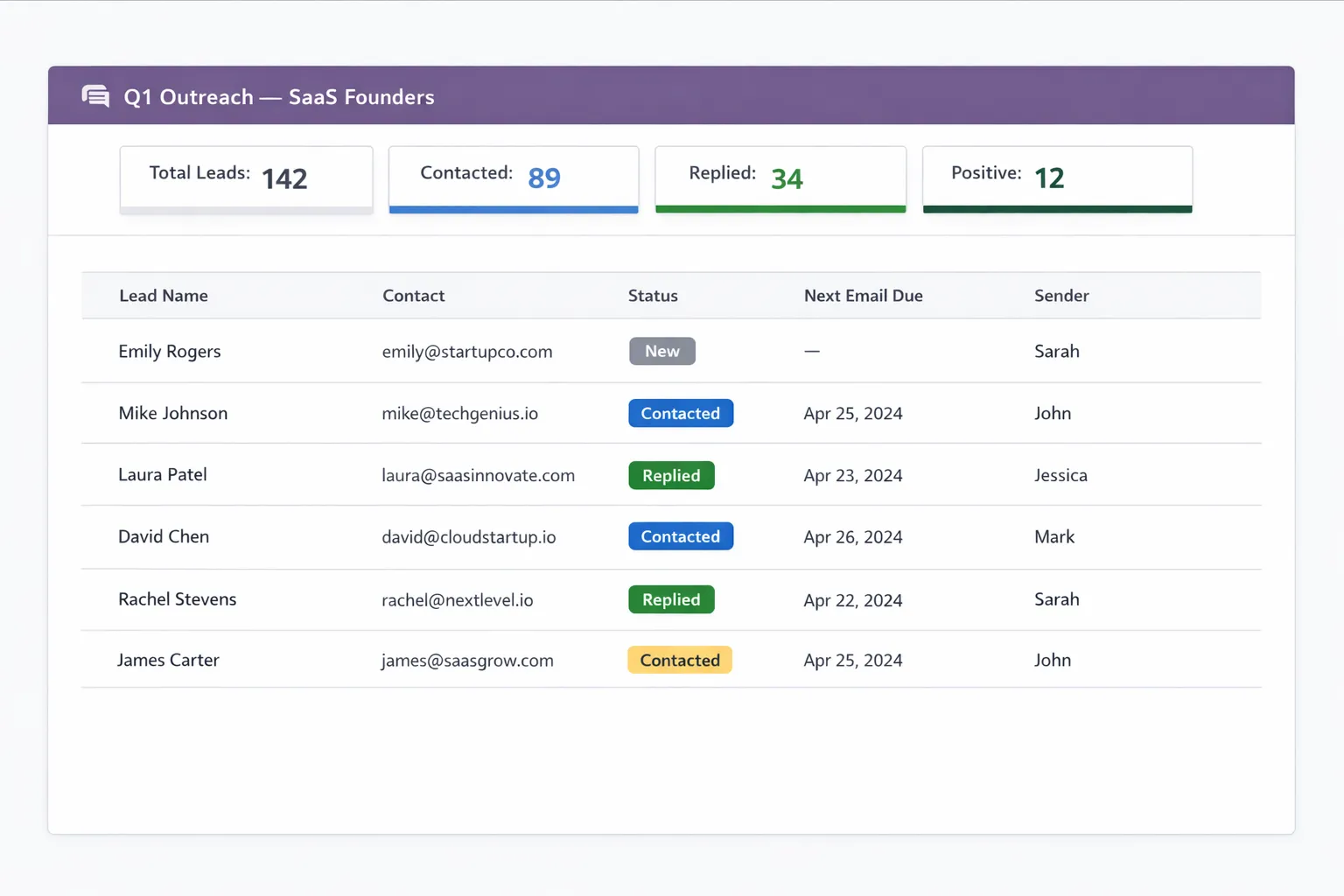
The campaign dashboard shows where every lead stands at a glance.
Our approach is an extension, not a replacement. The existing Odoo CRM remains fully intact – supplemented with dedicated outreach functionality.
Core Principles
No data duplication: Leads and contacts stay where they are. The module adds campaign assignments without creating duplicates.
Fully integrated: All activities appear in contact history. When a lead becomes a customer, the outreach journey is fully documented.
Flexible, not rigid: You decide how much control you want to keep – from manual individual approval to batch sending.
Core Features
Outreach Campaigns
Organize your outreach in campaigns:
- Campaign name and code for unique identification
- Language (DE/EN) for multilingual campaigns
- initial_delay_days: Wait time before the first email
- followup_days: Wait time between follow-up steps
- Overview of all leads with current status
Multi-Step Email Sequences
Define sequences with any number of steps:
Campaign: "DACH SaaS Outreach"

Step 1 (Day 0): Initial contact
Step 2 (Day 3): Follow-up with case study
Step 3 (Day 7): Final attempt with clear CTA
Each step has:
- Its own template with subject and body
- Configurable wait time from previous step
- Conditions (only if no response)
6 Lead Statuses per Campaign
Each lead has a campaign-specific status:
| Status | Meaning |
|---|---|
| New | In campaign, not yet contacted |
| Contacted | At least one email sent |
| Replied | Response received |
| Positive | Interest signaled |
| Not Now | Currently no interest |
| Dead | No further contact wanted |
A lead can have different statuses in different campaigns.
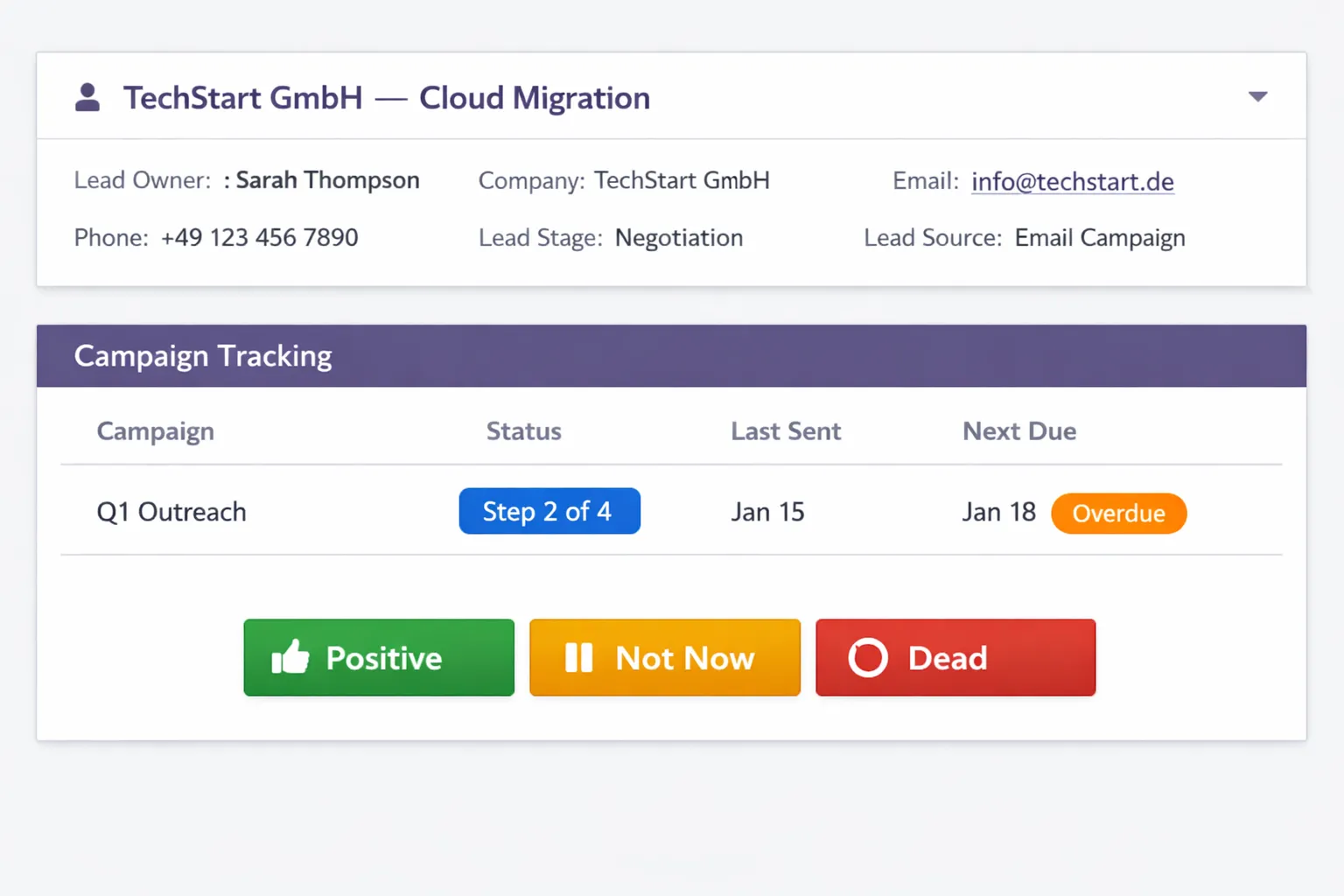 Your daily workspace: due emails, statuses, and next steps at a glance.
Multi-Sender Support
Distribute outreach across multiple sender addresses:
- Each sender has their own display name, signature, and SMTP server
- Protect sender reputation
- Domain warming for new addresses
- Higher daily volume without deliverability risk
- Recipient sees a real person – not info@ or a shared mailbox
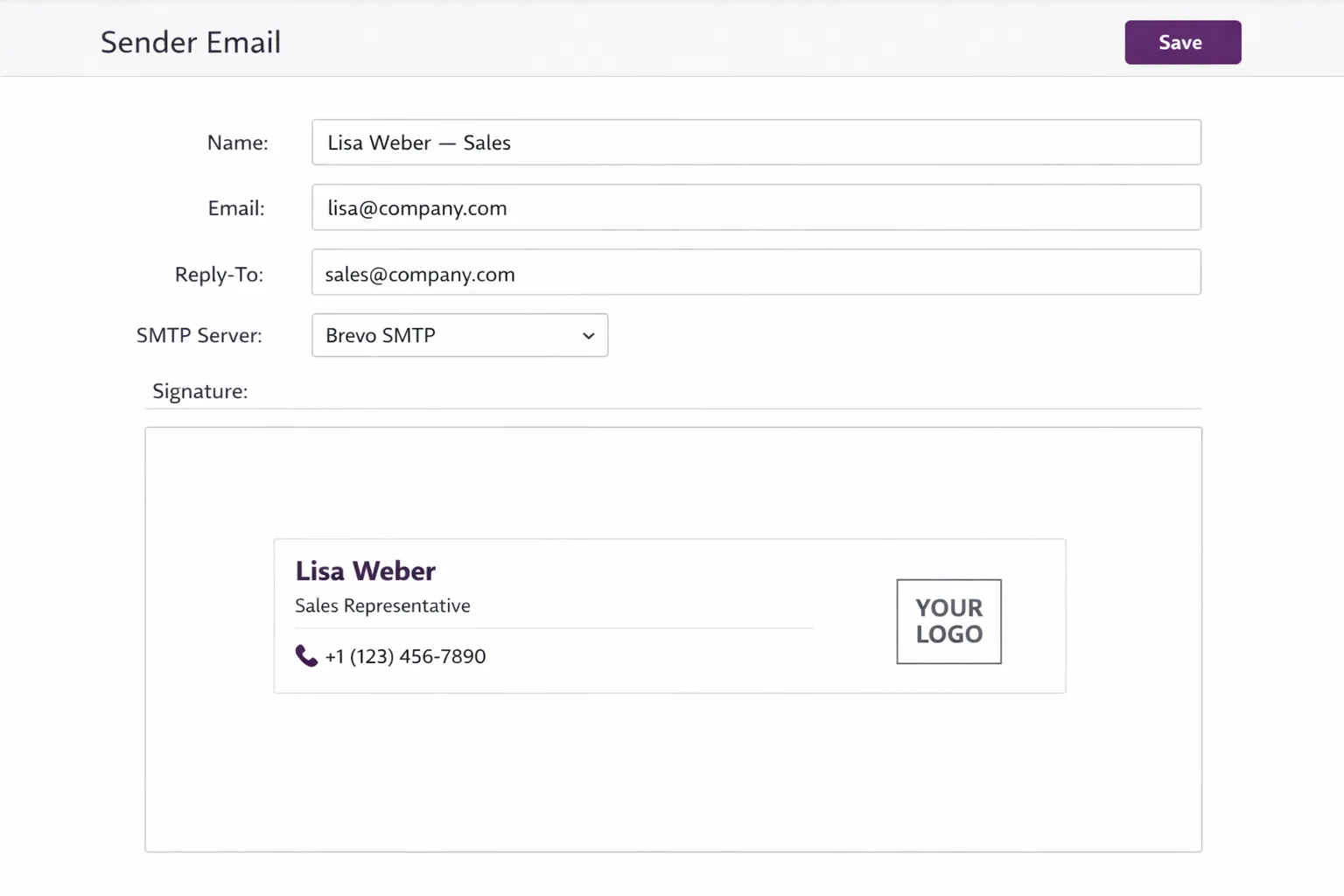 Each sender has their own name, signature, and SMTP server.
Personalized Templates with 20+ Placeholders
Templates with dynamic placeholders that automatically pull from lead, contact, and sender data:
Contact Placeholders:
{{ first_name }}– First name{{ contact_name }}– Full contact name{{ email }}– Email address{{ phone }}– Phone number{{ mobile }}– Mobile number{{ job_title }}– Job title/position
Company & Address Placeholders:
{{ company_name }}– Company name{{ street }}– Street{{ zip }}– ZIP code{{ city }}– City{{ country }}– Country{{ website }}– Website
Sender & Context Placeholders:
{{ sender_name }}– Sender's name{{ sender_email }}– Sender's email{{ signature }}– Sender's signature{{ today }}– Today's date{{ current_day }}– Current day of the week
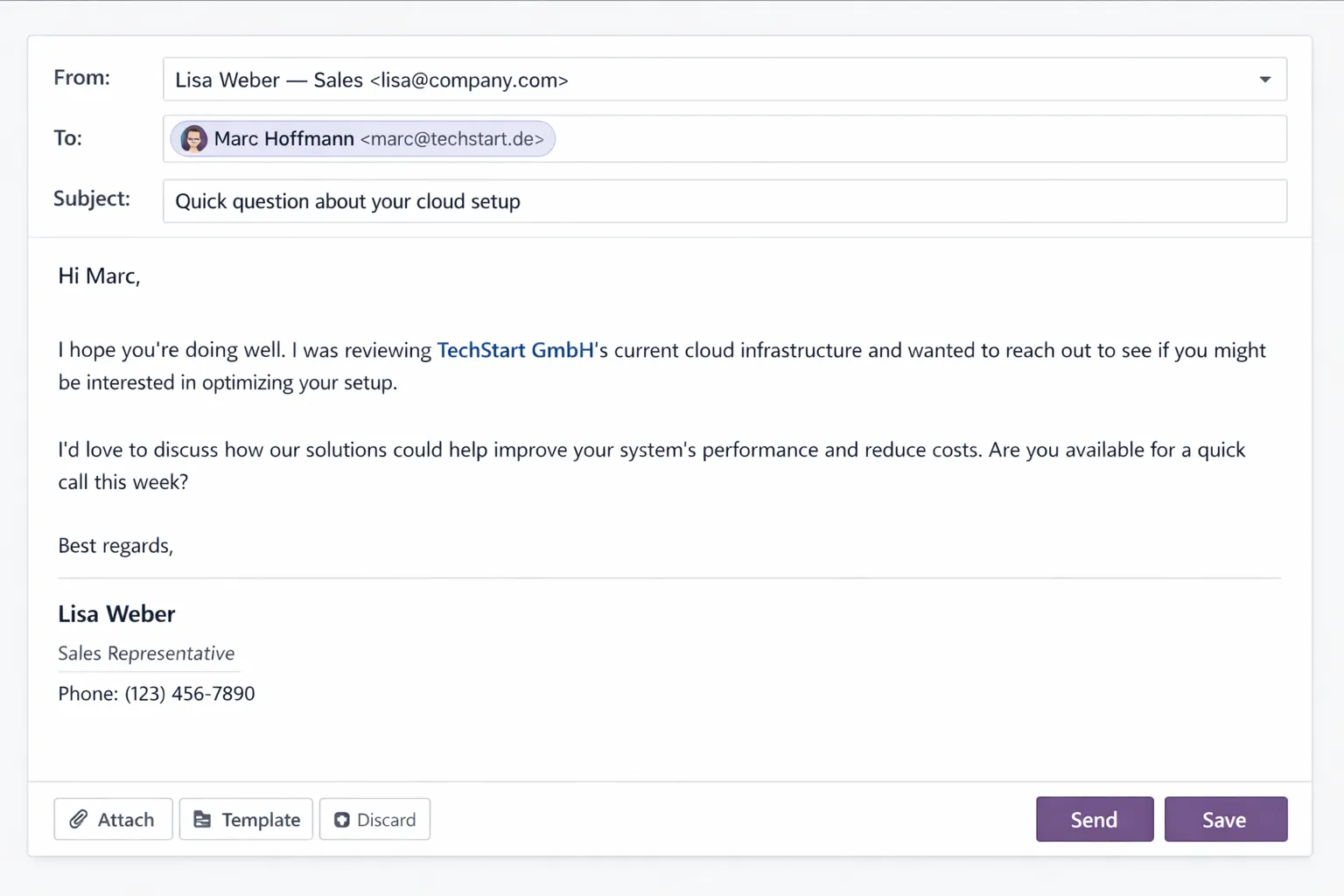 Every email looks like it was written by hand – thanks to automatic placeholder resolution.
Placeholder Check Wizard
Before sending, a wizard automatically checks all placeholders. If a lead has incomplete data (e.g., no first name, no company), you're warned – before an unpersonalized email goes out.
GDPR Compliance: Do Not Contact – 3 Levels
Compliance at three levels with full audit trail:
| Level | Effect |
|---|---|
| Lead | Single lead is blocked from all outreach |
| Contact | Person is blocked across all their leads |
| Company | Company is blocked – cascades automatically to all contacts and leads |
Each block is logged with reason and timestamp. 5 predefined reasons are available.
Mail Queue Cleanup
An automatic cron job every 15 minutes cleans up the mail queue:
- Orphaned emails are removed
- Queue stays clean and performant
- No manual cleanup needed
CRM Direct Email (Free Companion Module)
The free CRM Direct Email module is installed automatically as a dependency. It solves a fundamental Odoo CRM problem: The email composer auto-fills the recipient – without adding the contact as a follower.
Architecture
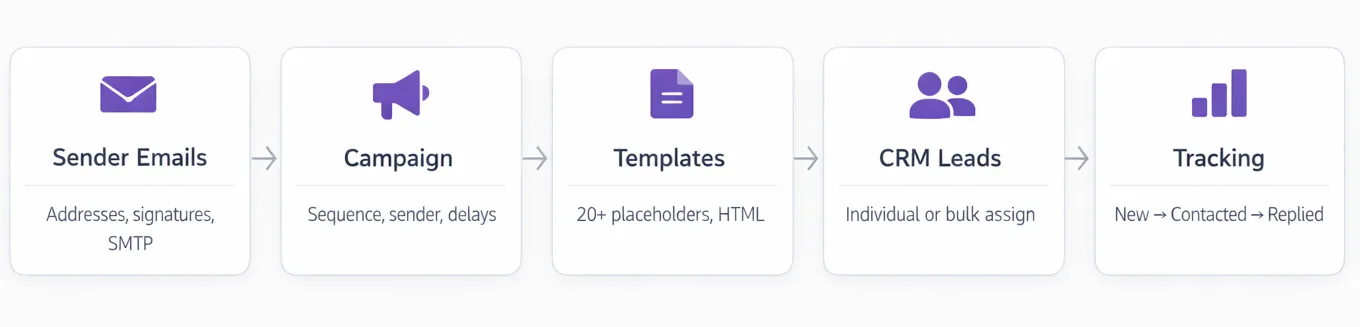 Five objects, one flow – all inside Odoo.
The module consists of five core components:
- Sender Emails – Sender configuration with SMTP
- Campaigns – Campaign definition with templates
- Templates – Email templates with placeholders
- Campaign Leads – Lead assignment with status tracking
- Tracking – Complete tracking
Example Workflow
1. Create Campaign
Name: Q1 2026 – DACH Manufacturing Companies
Code: Q1-DACH-MFG
Language: EN
initial_delay_days: 0
followup_days: 3
Senders: sales@company.com, thomas@company.com
2. Define Templates
Step 1 – Initial Contact:
Subject: Question about digitalization at {{ company_name }}

Hello {{ first_name }},

[Personalized introduction]...

Best regards,
{{ sender_name }}
{{ signature }}
Step 2 – Follow-up (after 3 days):
Subject: Re: Question about digitalization at {{ company_name }}

Hello {{ first_name }},

Quick follow-up on my last email...
3. Assign Leads
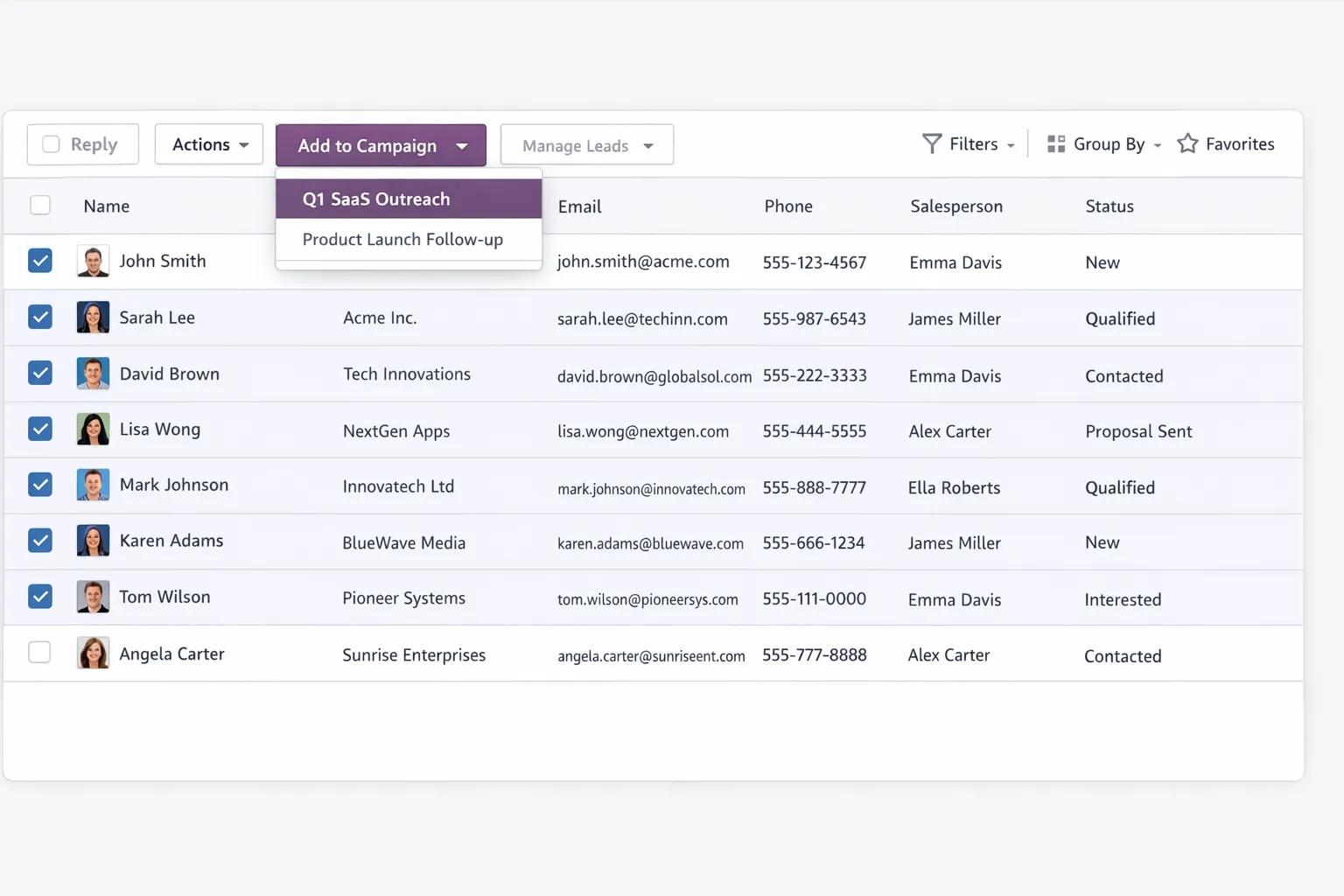 Assign leads to a campaign directly from the list view – individually or in bulk.
- Individually from CRM view
- Bulk via filtered lead list – 200 leads in 5 minutes
- Import from external system
4. Daily Workflow
- Open dashboard – see due emails
- Run placeholder check
- Send emails (individually or batch)
- Replies are automatically detected, status updated
- On "Not Now" or "Dead" – lead stops automatically
5. Update Status
After conversation or qualification:
- Set status to "Positive" or "Not Now"
- Add notes for context
- Optionally convert to pipeline opportunity
Who Is This Module For?
B2B Sales Teams
Sales teams that actively approach potential customers – not just wait for inquiries.
Agencies
Service providers who need to regularly acquire new clients through systematic outreach.
SaaS Companies
Product-oriented companies with defined target customer profiles and systematic sales.
Recruiting
HR teams and recruiters actively approaching candidates.
Consulting
Consultants generating project inquiries through targeted outreach.
Why No External Tool Is Necessary
Comparison with External Solutions
| Aspect | External Tool | Odoo-native Module |
|---|---|---|
| Data storage | Duplicates, sync needed | Everything in Odoo |
| Costs | Monthly license | $499 one-time |
| Limits | Contacts/emails limited | Unlimited |
| Integration | API, often fragile | Native |
| GDPR | Data with third party | Data stays internal |
| History | Fragmented | Complete |
Known Alternatives
Lemlist, Apollo, Reply.io, Outreach.io: Specialized tools, but separate systems with all consequences.
HubSpot Sales: Capable, but its own ecosystem – no Odoo integration.
Odoo Email Marketing: Designed for newsletters, not 1:1 outreach.
The native solution avoids these compromises.
Availability & Pricing
Now available in the Odoo App Store:
| Module | Price | Link |
|---|---|---|
| CRM Outreach Campaigns | $499 (one-time) | View in Store |
| CRM Direct Email | Free | View in Store |
Odoo Versions:
- Odoo 18 – Built and tested
- Odoo 17 and 19 – Coming soon
Requirements:
- Odoo on-premise or Odoo.sh (not compatible with Odoo Online/SaaS)
- CRM module installed
- Outgoing mail server (SMTP) configured
- Incoming mail server (for reply detection)
Support: support@balane.tech – Response within 48 business hours.
Conclusion
Odoo CRM is a solid foundation. For systematic outbound sales, the right tools were missing – email sequences, campaign-related status, multi-sender, tracking, GDPR compliance.
Our outreach module adds exactly these functions without replacing the existing CRM. All data stays where it belongs. No synchronization, no limits, full control.
Now in the Odoo App Store:
